Towards Trust in Emacs
Introducing trust-manager, a trust management package for Emacs
Emacs has some serious trust issues. Up to version 30, it didn’t differentiate between trusted and untrusted files, and in effect treated all files as trusted. This implicit trust manifested in various security issues, such as the arbitrary code execution vulnerability CVE-2024-53920 which I reported a couple of years ago.
To fix this vulnerability, Emacs 30 introduced an explicit notion of trust, where some potentially risky features are only enabled for trusted files. It also set all files to untrusted by default.
In theory, this is a safe default, but it is not very convenient,
and the problem with security measures that cause too much friction is
that users tend to disable them in order to get on with their work.
To fulfill its security purposes, a good trust system needs to stay
out of your way. Enter trust-manager, my new trust management
package for Emacs.
But first, let’s take a closer look at a common pitfall of the current
Emacs trust situation. Then we’ll see how trust-manager solves it.
The most prominent Emacs feature that has been limited to trusted
files for security reasons is the Emacs Lisp Flymake backend, which is
responsible for on-the-fly diagnostics in Emacs Lisp code. The way it
works is that when Emacs invokes the Flymake backend to retrieve
diagnostics in a given buffer (file), a check is performed to see
whether the buffer is trusted according to the current trust settings.
If it was not marked as trusted, then the backend is disabled, and you
get a message saying:
Disabling elisp-flymake-byte-compile in foo.el (untrusted content)
Now, seeing this, you know that your on-the-fly diagnostics are gone, and you also know why; but even if you actually do trust this buffer, you don’t have any immediate way of telling that to Emacs, and getting your diagnostics back and your job done.
This annoyance pushes many users to configure overly broad trust
settings, and indeed a quick search among Emacs configurations
published on GitHub reveals users going as far as disabling the
trust mechanism altogether. This is exactly the kind of friction
trust-manager is designed to eliminate.
Granting trust just-in-time with trust-manager
My new trust-manager package, which is available from MELPA, helps
you grant trust just-in-time, with minimal friction. You enable
trust-manager-mode in your init file and forget about trust
configuration. The first time you visit a file in a given project,
trust-manager-mode asks you whether you trust that project. If you
say yes, it marks the project directory as trusted and remembers your
choice. If you say no, that’s remembered too. The next time you
visit a file in that same project, no questions are asked. If you
change your mind, you can edit your trust settings at any time with
trust-manager-customize.
The commentary section of trust-manager.el details useful tips and
customization options that you may want to check out, but usually all
you need in terms of configuration is:
(trust-manager-mode)
Beyond just-in-time prompting, trust-manager-mode also takes care of
some files that you most certainly trust already: your init file, your
early init file, your custom file, and all directories on your
load-path. These are marked as trusted as soon as the mode is
enabled, so Emacs Lisp features work without interruption in your own
configuration files and in the ELisp source files that come with Emacs
and packages you install.
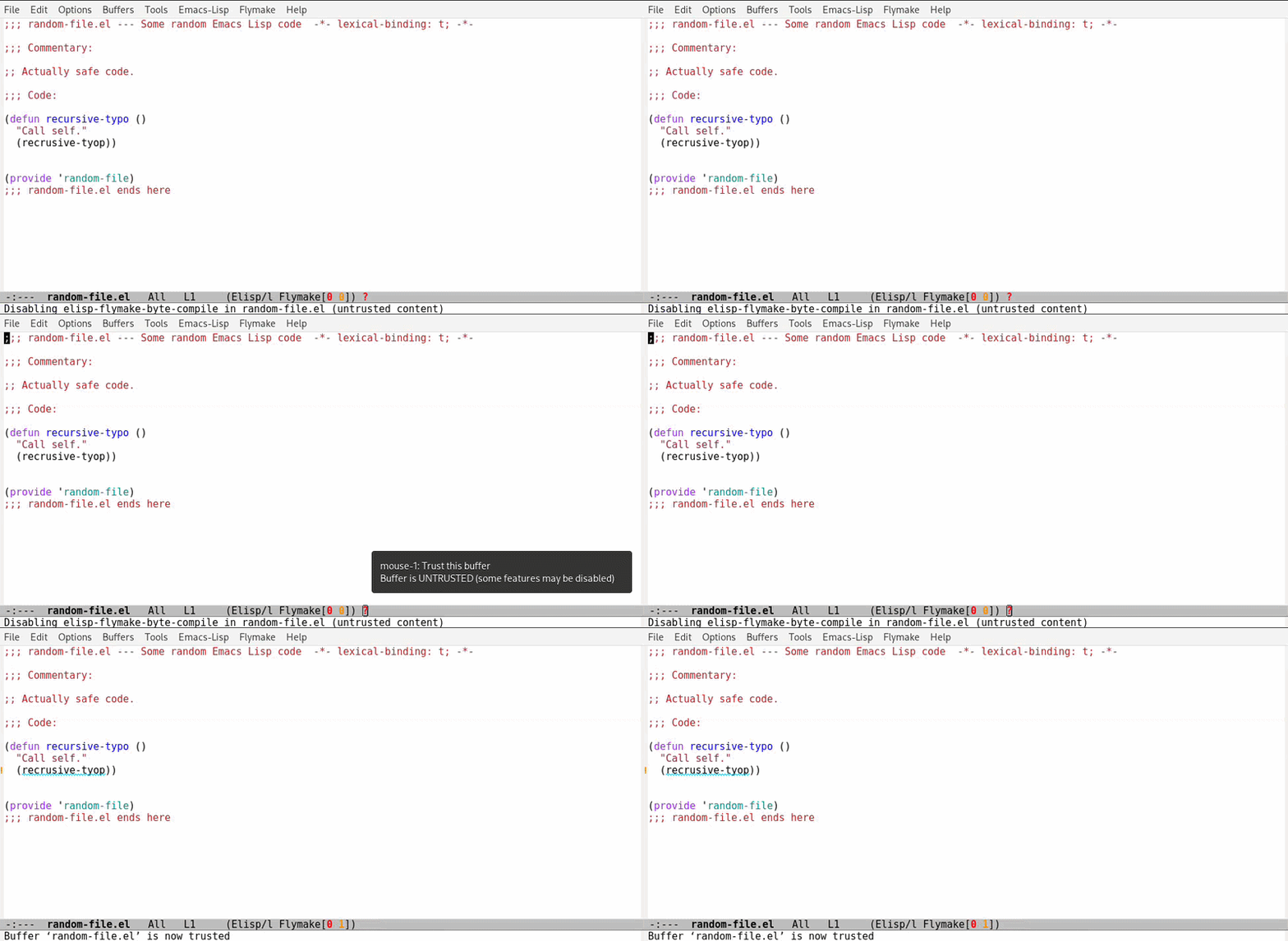
An additional improvement that trust-manager brings is a mode line
indicator for untrusted buffers. In untrusted Emacs Lisp buffers,
you’ll see a small red ? in the mode line. This indicator serves
two purposes: it reminds you that some features may be disabled in
this buffer, and it lets you act on that information right away:
clicking on it marks the buffer as trusted and immediately re-enables
any features that were waiting for trust. Here’s a quick demo:
Your trust choices are stored in the user option
trust-manager-trust-alist. You can inspect and edit it directly
with M-x trust-manager-customize, or use the dedicated commands
trust-manager-set-project-trust and trust-manager-set-file-trust
to mark specific directories or files as trusted or untrusted without
going through the Customize interface.
trust-manager-mode also hooks into project-forget-project: when you
ask Emacs to forget a project, its trust entry is cleared automatically,
so stale trust settings don’t linger.
Conclusion
Emacs 30’s trust system is a meaningful step forward for security, but
its out-of-the-box experience leaves some room for improvement.
trust-manager helps you grant trust just-in-time, so you can keep your
settings secure without compromising on functionality.
You can install trust-manager from MELPA with M-x package-install,
or find the source at https://git.sr.ht/~eshel/trust-manager or at
https://github.com/eshelyaron/trust-manager.